Expired domain — why it's a threat to your business
 Mark Sullivan⏱ 11 min read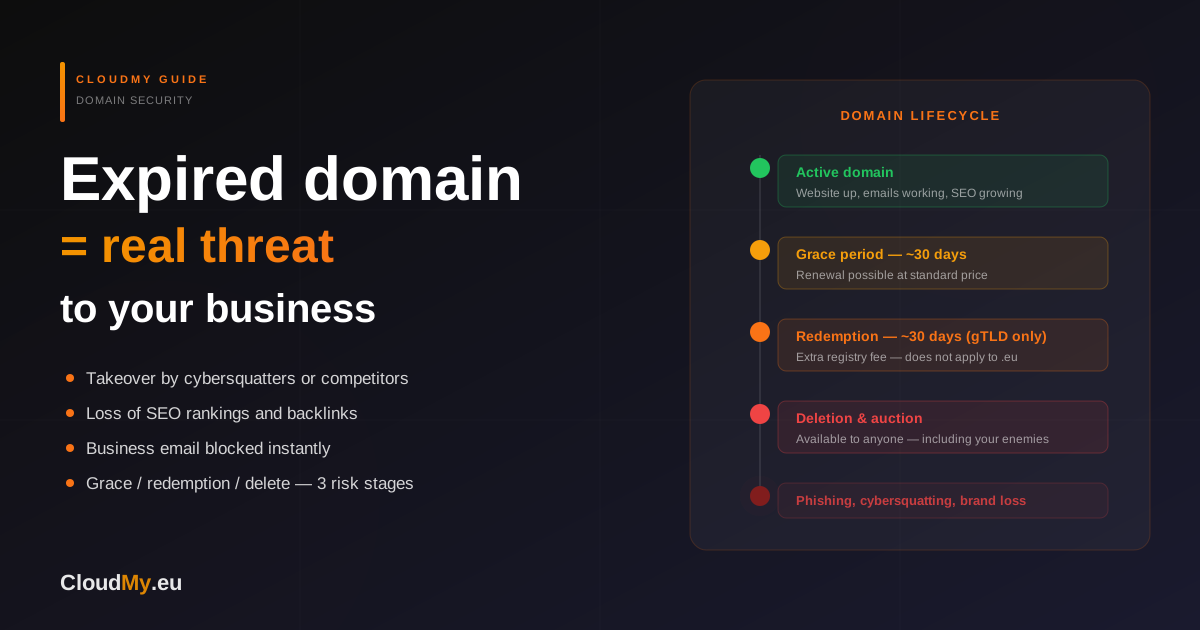
- What happens to a domain after it expires?
- Grace period — the renewal window
- Redemption period — gTLD only, not .eu
- Deletion and auction — the point of no return
- Domain expiry stages — .eu vs .com comparison
- Why is an expired domain a real threat to your business?
- Takeover by a competitor or cybersquatter
- Phishing attacks against your customers
- Loss of business email and correspondence
- SEO losses after domain expiry
- Loss of Google rankings
- Loss of backlinks and domain history
- How cybersquatters exploit expired domains
- Backorder and automated registration
- Domain parking with ads
- Ransom demand
- How to protect your domain from expiring
- Enable auto-renewal
- Register the domain for multiple years
- Keep contact details and email alerts up to date
- Monitor expiry dates in one place
- What to do if your domain has already expired?
- FAQ
- What is the grace period and how long does it last?
- Does the .eu domain have a redemption period?
- Does auto-renewal really protect against losing a domain?
- What happens to a business if its domain is taken over by a competitor?
- Do SEO rankings return after recovering an expired domain?
- Can I recover a domain already registered by someone else?
A domain name is more than just a website address — it's your business identity online, the foundation of your professional email and a key element of a reputation built over years. Many business owners treat domain renewal as a formality and postpone it to the last moment. Yet an expired domain triggers a cascade of problems that can cost you clients, Google rankings, and even your entire brand.
In this guide, we explain exactly what happens to a domain after it expires, what threats your business faces and how to protect yourself effectively.
What happens to a domain after it expires?
A domain doesn't disappear overnight. After the expiry date, it passes through several stages — each representing greater risk and higher recovery costs.
Grace period — the renewal window
Immediately after expiry, the registrar offers a grace period
that typically lasts from 1 to 45 days, depending on the extension and registrar.
During this time, you can renew the domain at the standard price, although the
website may stop working — the DNS server stops resolving addresses and your email
may start rejecting incoming messages. For a domain like yourbusiness.eu,
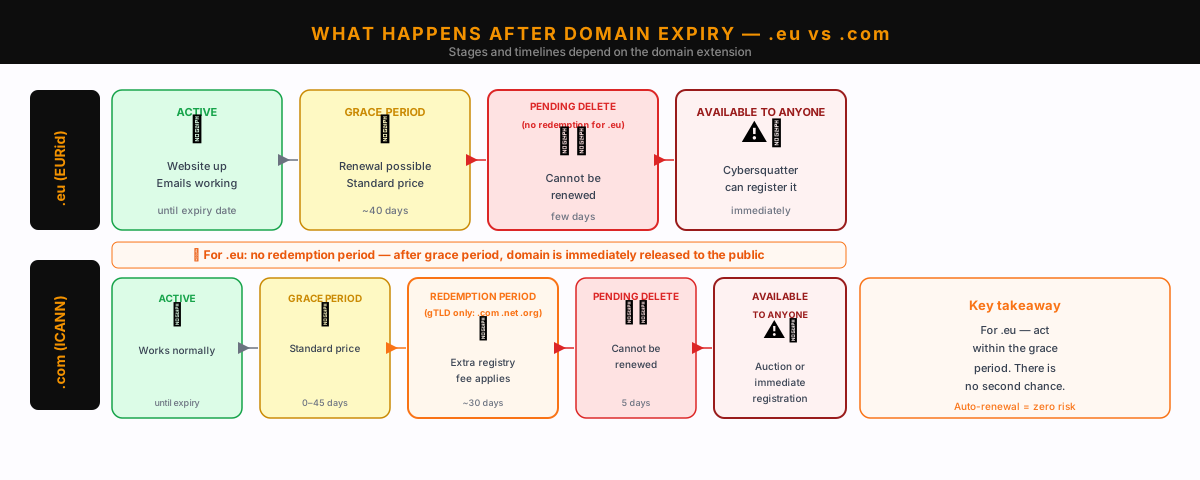
EURid applies a grace period of approximately 40 days.
Redemption period — gTLD only, not .eu
ICANN-managed gTLD domains (.com, .net, .org and others) enter a redemption period (buyback phase) of approximately 30 days after the grace period ends. The registry then imposes additional administrative fees, the amount of which depends on the registrar — the total cost of recovering a .com domain in this phase can be several times higher than a standard renewal.
Important: the .eu domain does not have a redemption period with such fees. EURid deletes the domain at the end of the grace period without an intermediate buyback phase. For .eu, the risk is different — if you don't renew during the grace period, the domain goes straight to deletion and becomes available to everyone. There is no costly intermediate phase, but there is also no second chance.
Deletion and auction — the point of no return
When the grace period (.eu) or redemption period (.com/.net) expires, the domain enters pending delete and becomes available to everyone after a few days. Popular domains are immediately captured by auctions or registered by specialised systems monitoring expiring domains. At this point, you lose all rights to the name you built over years.
Domain expiry stages — .eu vs .com comparison
| Stage | .eu (EURid) | .com/.net (ICANN) | Renewal cost |
|---|---|---|---|
| Active | until expiry date | until expiry date | Standard price |
| Grace period | ~40 days | 0–45 days (registrar dependent) | Standard price |
| Redemption period | — (does not apply to .eu) | ~30 days | Standard + additional registry fee |
| Pending delete | few days | 5 days | Renewal not possible |
| Available / Auction | immediately after deletion | immediately after deletion | Market price (can be multiples) |
Why is an expired domain a real threat to your business?
The website going offline is the least of your problems. The real threats are far more serious and can affect you long after the domain falls into the wrong hands.
Takeover by a competitor or cybersquatter
Cybersquatting — registering someone else's brand or company name as a domain — is
widespread and fully legal as long as it doesn't violate registered trademarks.
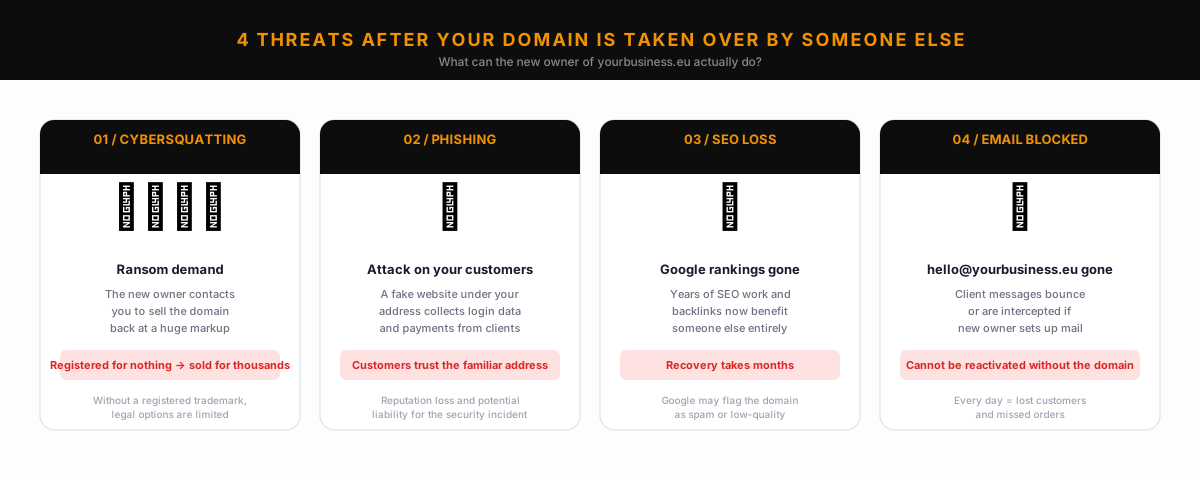
If your domain yourbusiness.eu expires, a competitor or broker can
register it within minutes of it appearing in the pool of available domains. What
happens next? The new owner can demand a large sum to sell it back to you — often
thousands of euros. They can also simply keep the domain and operate their own
business under it.
Phishing attacks against your customers
This scenario is particularly dangerous for businesses with an established brand. Someone who takes over your expired domain can launch a fake site impersonating your service — with a login form, fake invoices or requests to "update card details". Your customers see a familiar address and trust it. They lose money or data, and you lose your reputation. Such incidents happen regularly and often end in costly legal proceedings or customers simply abandoning your brand.
Loss of business email and correspondence
Your email address [email protected] stops working immediately
when the domain expires and DNS stops responding. Clients who write to you receive
a bounce error. If someone later takes over the domain and configures their own
mail server, they may start receiving messages intended for you. If your business
depends on email communication, even a few days of downtime means measurable losses.
Reactivating email addresses after a domain takeover is practically impossible
without recovering the domain.
SEO losses after domain expiry
An expired domain is not just an operational crisis — it's also a disaster for your website's position in Google search results.
Loss of Google rankings
Googlebot regularly crawls websites. When your domain stops responding, Google records DNS errors and connection timeouts — and gradually lowers your position in results. After a few weeks of unavailability, your site can drop dozens of positions or be completely deindexed. Rebuilding domain authority after restoration takes months.
Loss of backlinks and domain history
If the domain passes to a third party who launches a completely different site, all the link authority you built over years is lost. Moreover, the new owner can "consume" that authority to rank their own content, which has nothing to do with your business. Links from external sites still point to your old domain, but now lead to someone else's website.
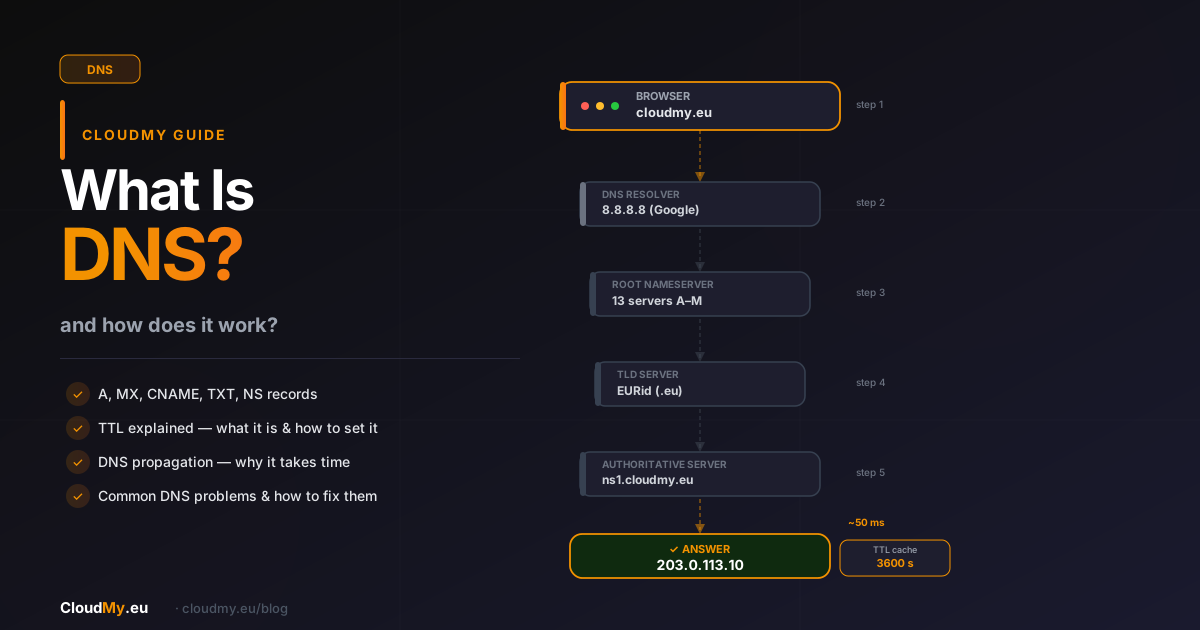
Learn how DNS affects your website in the article What is DNS and how does it work?
How cybersquatters exploit expired domains
Backorder and automated registration
Specialised services monitor millions of expiring domains every day. Backorder systems submit a registration request in a fraction of a second after the domain is deleted from the registry. For cybersquatters, it's an automated business — they buy the domain for a few euros and sell it for thousands.
Domain parking with ads
The simplest form of exploiting a taken domain is domain parking — launching a page of advertisements under your address. Clients who type your address land on a page of ads, often from competitors. The new owner earns money from your traffic — traffic you built up over years of online presence and marketing investment. Every visit from a potential client generates revenue for the person who took your domain, not for you.
Ransom demand
The cybersquatter may contact you after taking the domain to offer it back for purchase. The price? Typically a multiple of market value — thousands or even tens of thousands of euros for a domain you registered for a few euros per year. Without a registered trademark, your legal options to recover it otherwise are limited. Many businesses choose to pay because the cost of operational downtime without the domain is even higher.
How to protect your domain from expiring
Enable auto-renewal
This is the simplest and most effective protection. Every good registrar — including CloudMy — offers automatic domain renewal by credit card or prepaid wallet. Enable this feature and make sure your card details are up to date. It's worth adding a backup payment method — if the first card is declined (for example after a card replacement by your bank), the system will try to charge the next one. A few minutes of setup eliminates all risk of missing a renewal.
Register the domain for multiple years
Most registries allow domain registration for 2, 5 or even 10 years in advance. A longer registration reduces the risk of missing a renewal and often lowers the total cost. With a multi-year registration, a forgotten renewal doesn't immediately threaten domain loss — you simply have more time to react.
Keep contact details and email alerts up to date
Your registrar sends expiry notifications to the registrant's email address. Make sure that address is active and that spam filters aren't blocking messages from your registrar. Many businesses lose domains precisely because notifications ended up in spam. Check your WHOIS settings and update the contact address if it has changed.
Monitor expiry dates in one place
If you manage multiple domains, keep a central record of expiry dates — in a spreadsheet, task management tool or your registrar's dashboard. Even better: consolidate all your domains with one registrar that offers a clear overview. In the CloudMy panel, you see expiry dates for all your domains in one place with clear alerts.
What to do if your domain has already expired?
Act immediately — time is critical.
- Log into your registrar's panel and check the current domain status.
- Grace period — if you're at this stage, renew immediately at the standard price.
- Redemption period (.com/.net/.org only — does not apply to .eu) — contact the registrar and pay the restoration fee. Expensive, but possible.
- Pending delete — place a backorder with your registrar or a service specialising in capturing expiring domains. No guarantee, but it's your only option.
- If the domain has expired and someone has already registered it — consult a lawyer specialising in IP, especially if you hold a registered trademark.
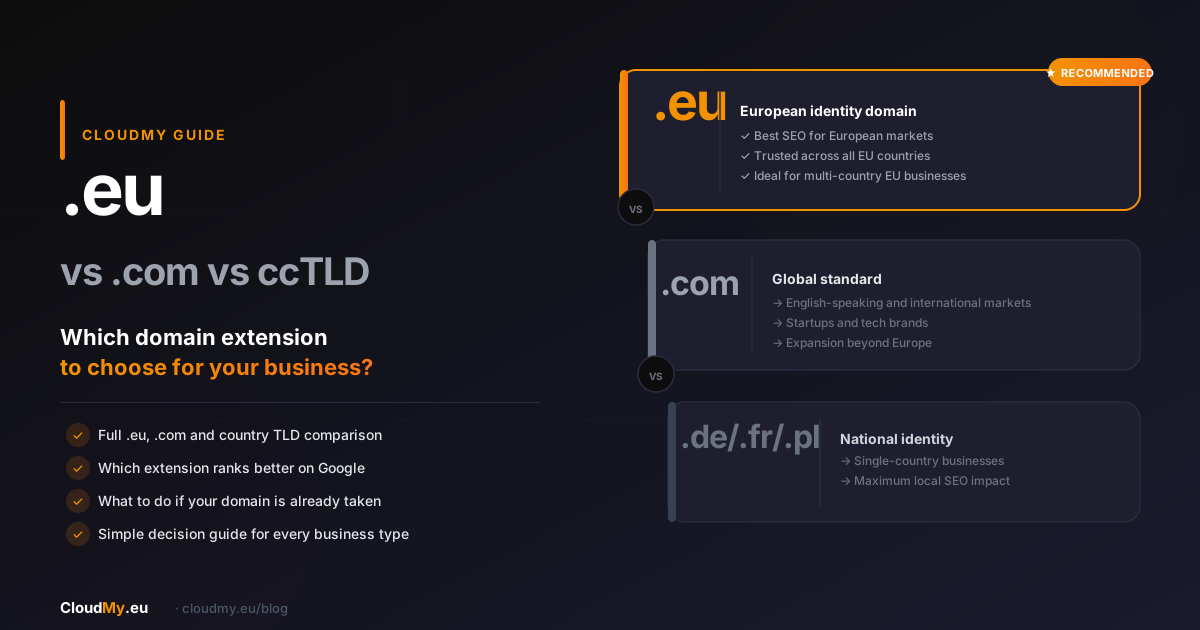
Want to make sure your domains are always safe? Check out CloudMy's domain registration offer with automatic renewal and expiry alerts. Also discover how to choose the right domain extension: .eu vs .com vs country domain — which extension to choose for your business?
FAQ
What is the grace period and how long does it last?
The grace period is a window after domain expiry during which you can renew at the standard price. For .eu domains, EURid typically allows approximately 40 days. For .com/.net domains, the duration depends on the registrar and ranges from 0 to 45 days. During the grace period, your website and email may not function, but the right to the domain still belongs to you.
Does the .eu domain have a redemption period?
No. The redemption period with additional registry fees applies to gTLD domains managed by ICANN (.com, .net, .org and others). The .eu domain, managed by EURid, does not have a redemption period — after the grace period, the domain is deleted without an intermediate buyback phase. For .eu, the only chance is to renew during the grace period at the standard price.
Does auto-renewal really protect against losing a domain?
Yes, as long as the payment method is valid and up to date. Auto-renewal protects against negligence and forgetfulness, but won't work if the credit card has expired, the prepaid wallet is empty or the bank rejected the transaction. Check once a year that the payment details in your registrar's panel are current. It's also worth setting an additional email alert 30 and 7 days before expiry.
What happens to a business if its domain is taken over by a competitor?
The consequences can be severe: customers who type your address land at a competitor's site, your SEO rankings collapse, and the domain history and backlinks built over years now strengthen someone else. In extreme cases, the new owner can demand a high ransom or operate activity under your domain that misleads your customers. Without a registered trademark, recovering the domain through legal means is difficult and expensive.
Do SEO rankings return after recovering an expired domain?
It depends on how long the domain was unavailable and what happened under it. If you recover the domain quickly (grace period) and the site comes back online without content changes, Google can rebuild the index within days. The longer the downtime and the more the content has changed, the more time it takes to return to previous rankings. In the worst case, if the domain hosted spam or irrelevant content for a long time, Google may consider it low quality and require many months to fully rehabilitate.
Can I recover a domain already registered by someone else?
If someone registered your domain after it passed into the available pool, they are legally the new owner. You can negotiate a buyback, but the price is set by the new owner. An alternative is the UDRP (Uniform Domain-Name Dispute-Resolution Policy) procedure before WIPO — effective if you hold a registered trademark and can prove the new owner's bad faith. Without a trademark, the chances are limited. The best strategy is prevention — never let your domain expire.